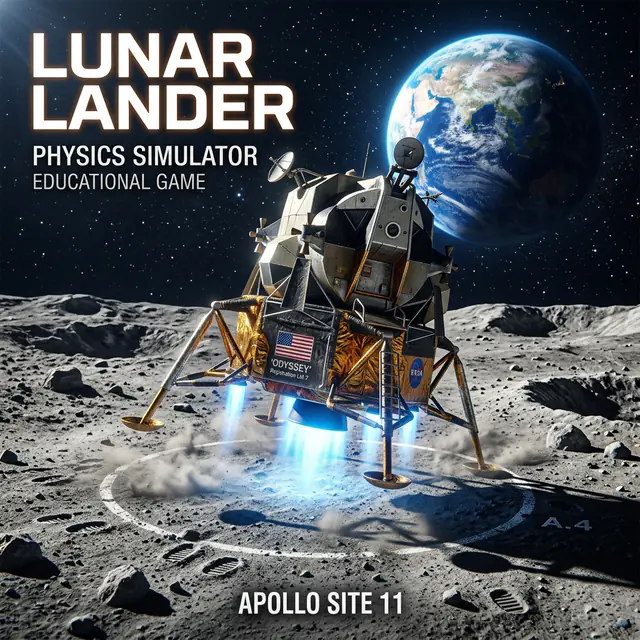
Turn one round into a learning session
Creates a playful opportunity to discuss thrust, velocity, and inertia.
Predict what might happen, then identify the number, measurement, or cause-and-effect clue you will watch.
Pause after a result and compare it with the prediction. Notice what changed and what stayed the same.
- What evidence supported or changed your prediction?
- How could you show the same idea with objects, a diagram, or numbers?
Junior Scientist: Field Exploration Log
Use Junior Scientist: Field Exploration Log to show the same skill away from the screen with drawing, labels, examples, or written reasoning.
Use a smaller quantity, a drawing, counters, or a two-column comparison before returning to the full challenge.
Change one variable, predict the result, and explain why a fair comparison keeps other conditions the same.
How to play
- 1Use thrust to keep the speed display blue for touchdown.
- 2Steer between the green guide arrows above the landing pad.
- 3Complete all five weather missions and save as much fuel as you can.
- 4Conserve fuel for the final landing phase.
Questions about LUNAR LANDER 2026
Is LUNAR LANDER 2026 free to play?
Yes. LUNAR LANDER 2026 can be played for free in a web browser without installing an app.
What skills does LUNAR LANDER 2026 practice?
Creates a playful opportunity to discuss thrust, velocity, and inertia.
Can kids play LUNAR LANDER 2026 on a tablet?
Yes. On mobile or tablet, kids can use: Hold the large left, thrust, and right buttons to guide the capsule..
Try another game

PENGUIN ICE MATH
Solve a friendly addition or subtraction puzzle and choose the correct ice floe. Ten right answers carry Penguin to the polar celebration.
View game
PUPPY GRAVITY GARDEN
Guide the puppy astronaut through a soft space garden. Place gravity stars, collect moon gems, and curve safely into the glowing portal.
View game
KITTY SLIDE LAB
Help the kitten glide through a colorful slide lab. Switch surface pads, collect stars, and finish in the perfect speed zone.
View gameStrategy and learning guide
Lunar Lander 2026: A Thrust and Motion Guide
The mission
Guide the academy capsule through five short landing missions. Use upward thrust to control descent, steer toward the landing pad, watch the speed display, and conserve enough fuel to finish.
The game is a simplified arcade model inspired by lunar landing. Its forces, wind, fuel use, scale, and success conditions are tuned for understandable play. They should not be treated as measurements from an actual Moon mission.
Three ideas to notice
Motion continues
The capsule keeps moving until thrust changes its velocity. If it is already drifting sideways, centring the controls does not instantly remove that drift.
Thrust changes velocity over time
A short press makes a small correction. Holding thrust makes a larger change but uses more fuel. The useful skill is choosing when to begin a correction, not only how long to hold the control.
A gentle landing needs planning
Waiting until the capsule reaches the pad can leave too little time to slow down. Watch both position and speed. Begin braking early enough to keep the final approach controlled.
Pilot routine
- Locate the pad and guide arrows.
- Check horizontal drift before using strong upward thrust.
- Make short steering corrections.
- Keep the speed display in its safer range as the ground approaches.
- After landing or crashing, name one correction to try earlier next time.
Compare two approaches
Try one run with several short thrust presses and another with fewer long presses. Compare fuel remaining, peak speed, and how easy each approach was to correct. Change only one aspect when you want a fair comparison.
The game supports discussion of inertia, force, velocity, and controlled adjustment. It is not flight training or a complete physics simulation. Record a prediction and observation with the science exploration log.